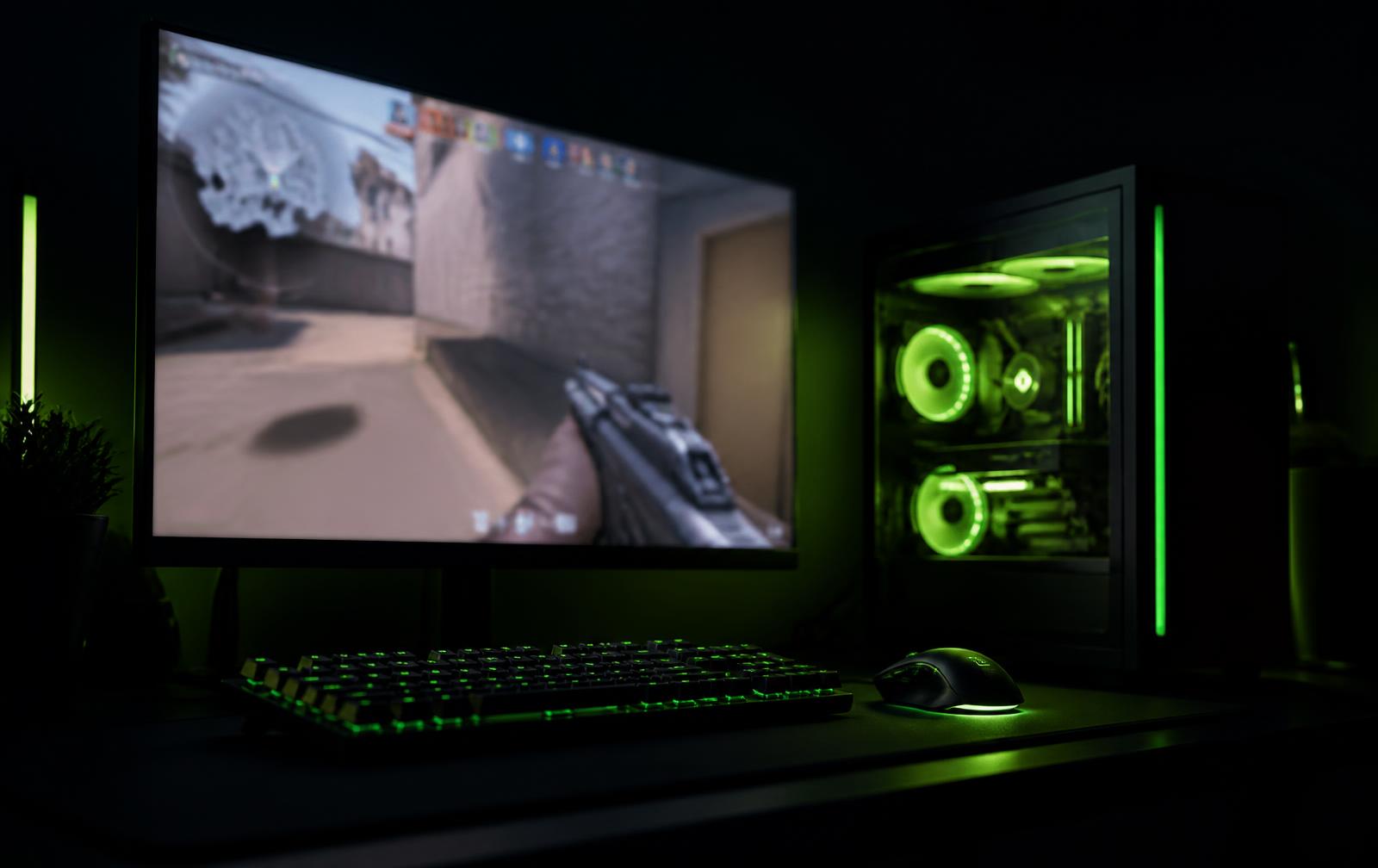
Stop losing fights
to frame drops
FRAME finds the background processes, power settings, and clutter quietly eating your frames — then fixes them in one click. Every change is explained, confirmed by you, and reversible.
Average FPS
0
Before
0
Illustrative example. Real gains depend on your hardware.
Watch it work, step by step
You stay in control at every stage. FRAME never applies anything you haven't seen and approved — click a step to explore it.
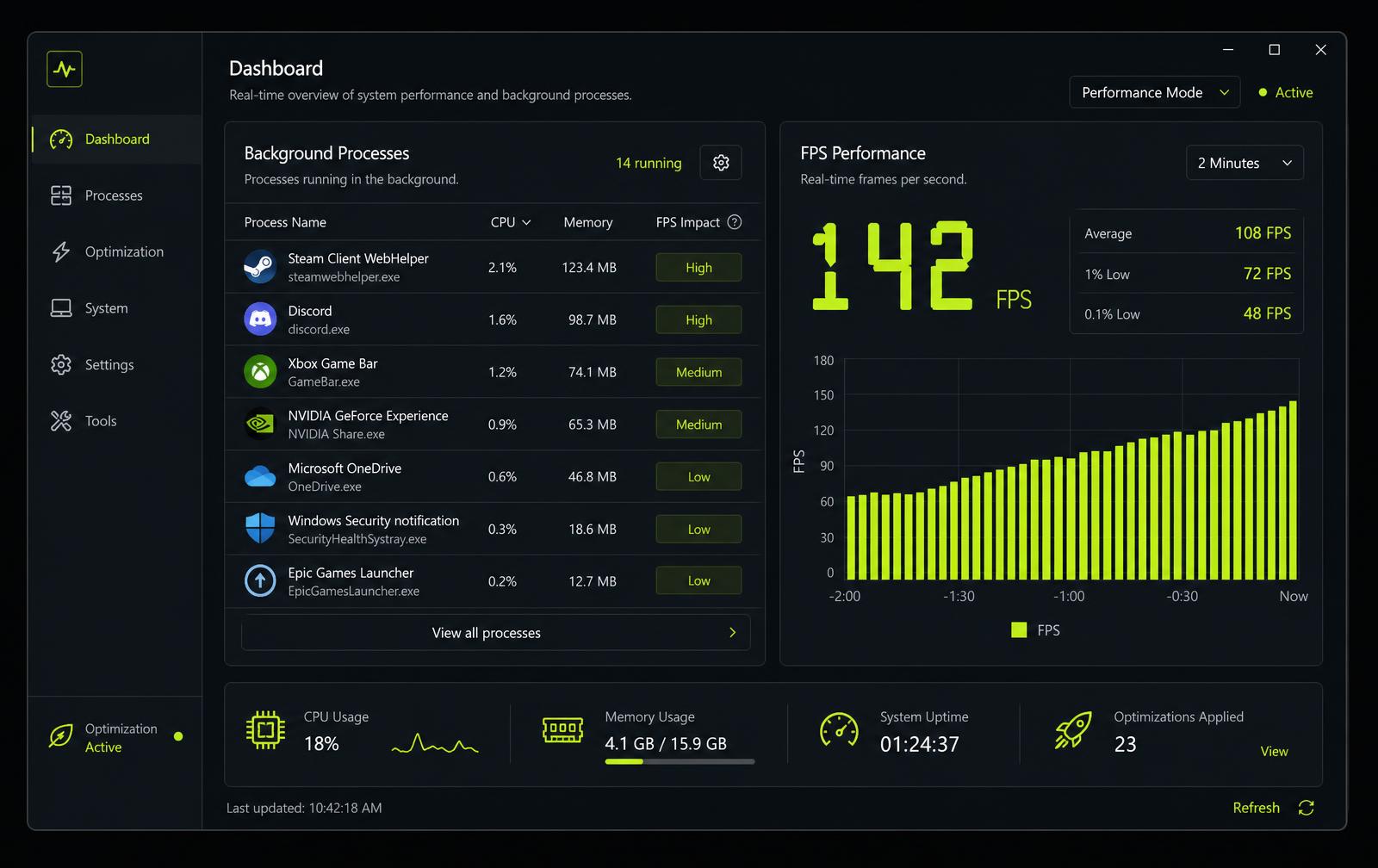
FRAME on Windows — processes, FPS impact and one-click optimization in one view.

What FRAME actually tunes
Standard Windows settings you could change by hand — found, explained, and applied in one place.
Background process cleanup
Identifies launchers, updaters, and browser tabs competing with your game, and pauses the ones you approve.
Power plan switch
Moves Windows to a high-performance profile while you play, then restores your normal plan afterwards.
Temp file clearing
Clears Windows and shader temp caches to free up disk space and reduce stutter on load.
Game Mode toggle
Turns on Windows Game Mode and flags the settings that commonly hurt input latency.
Startup manager
See everything launching with Windows, ranked by boot cost, and disable what you don't need.
Saved optimize profiles
Save and switch between named presets like Competitive or Streaming, and roll back to any previous state.
Nothing happens without your say-so
FRAME touches system settings, so it's built to be boringly transparent. Here's exactly where the line sits.
What FRAME does
- Asks for your confirmation before every single change
- Shows a plain-English description of what each change does
- Only touches user-level Windows settings and standard temp folders
- Logs every action with one-click restore
What FRAME never does
- Never modifies or deletes Windows system files
- Never touches game files, drivers, or anti-cheat
- No registry hacks, overclocking, or undocumented tweaks
- No hidden background service and no telemetry sold on
A realistic note: results vary by hardware. FRAME frees resources your PC is already wasting — it doesn't promise magic numbers, and it won't make a low-end GPU behave like a high-end one.
FRAME vs. doing it yourself
You can tweak Windows by hand — but you'd be guessing, and you'd have to remember every change to undo it. Here's where FRAME sits.
| Capability | FRAME | Manual tweaks | Other "boosters" |
|---|---|---|---|
| Price | Free forever | Free | Free / paid |
| Reversible in one click | Yes — full undo log | Only if you remember each change | Rarely |
| Shows what's slowing you down | Yes — a clear findings list | No — you guess | Sometimes |
| Asks before changing anything | Always | N/A | Often auto-applies |
| Per-game detection & priority | Yes | No | Rarely |
| Touches system files or drivers | Never | Your risk | Sometimes |
| Background process cleanup | Yes | Manual, each time | Yes |
| Power plan & Game Mode | Yes | Buried in settings | Sometimes |
| Graphics driver restart | Premium, 1-click | No | No |
| Telemetry / data upload | None | N/A | Often |
Price
- FRAME
- Free forever
- Manual
- Free
- Boosters
- Free / paid
Reversible in one click
- FRAME
- Yes — full undo log
- Manual
- Only if you remember each change
- Boosters
- Rarely
Shows what's slowing you down
- FRAME
- Yes — a clear findings list
- Manual
- No — you guess
- Boosters
- Sometimes
Asks before changing anything
- FRAME
- Always
- Manual
- N/A
- Boosters
- Often auto-applies
Per-game detection & priority
- FRAME
- Yes
- Manual
- No
- Boosters
- Rarely
Touches system files or drivers
- FRAME
- Never
- Manual
- Your risk
- Boosters
- Sometimes
Background process cleanup
- FRAME
- Yes
- Manual
- Manual, each time
- Boosters
- Yes
Power plan & Game Mode
- FRAME
- Yes
- Manual
- Buried in settings
- Boosters
- Sometimes
Graphics driver restart
- FRAME
- Premium, 1-click
- Manual
- No
- Boosters
- No
Telemetry / data upload
- FRAME
- None
- Manual
- N/A
- Boosters
- Often
Three tiers, real pricing
Free is free forever. Premium and Premium+ are live monthly subscriptions — subscribe and your key arrives by email straight away.
$0/forever
The full core optimizer. No card, no trial timer.
- Close background processes & free up RAM
- Power plan, temp clear & DNS flush
- Game Mode, Game Bar & visual effects toggles
- Startup app manager + smart cleanup suggestions
- Automatic per-game priority boost & fullscreen tweaks
- Wallpaper Engine detection & auto-pause
- Live FPS alerts
$4/month
Deeper cleanup and priority support for regular tuners.
- Close background processes & free up RAM
- Power plan, temp clear & DNS flush
- Game Mode, Game Bar & visual effects toggles
- Startup app manager + smart cleanup suggestions
- Automatic per-game priority boost & fullscreen tweaks
- Wallpaper Engine detection & auto-pause
- Live FPS alerts
- Graphics driver restart (1-click)
- Block background apps system-wide
- Supporter badge
- Priority Discord support
Secure checkout via Stripe · cancel any time.
$7/month
Profiles and per-core control for serious competitive setups.
- Close background processes & free up RAM
- Power plan, temp clear & DNS flush
- Game Mode, Game Bar & visual effects toggles
- Startup app manager + smart cleanup suggestions
- Automatic per-game priority boost & fullscreen tweaks
- Wallpaper Engine detection & auto-pause
- Live FPS alerts
- Graphics driver restart (1-click)
- Block background apps system-wide
- Supporter badge
- Priority Discord support
- Saved optimize profiles (Competitive, Streaming, etc.)
- CPU core affinity control for the detected game
- Wi-Fi vs. wired network advisory (local check — not a ping claim)
- Ultimate Performance power plan (replaces High Performance automatically)
- DNS speed check — benchmarks real servers, recommends the fastest for you
Secure checkout via Stripe · cancel any time.
After checkout you'll get an email with your subscription key — post it in #premium-support on the FRAME Discord to unlock your role.

Download FRAME free
The full core optimizer is available right now — no account, no card, no trial timer. Grab the Windows build and run your first scan in under a minute.
Windows 10 & 11 · 21.7 MB installer · v1.2.2
Get FRAME release notes by email
New optimizations, fixes and build releases — sent occasionally, never sold on. Separate from Discord, so you don't have to live in a chat to keep up.
The stuff people actually ask
If something's missing here, ask in the Discord — we read everything.